
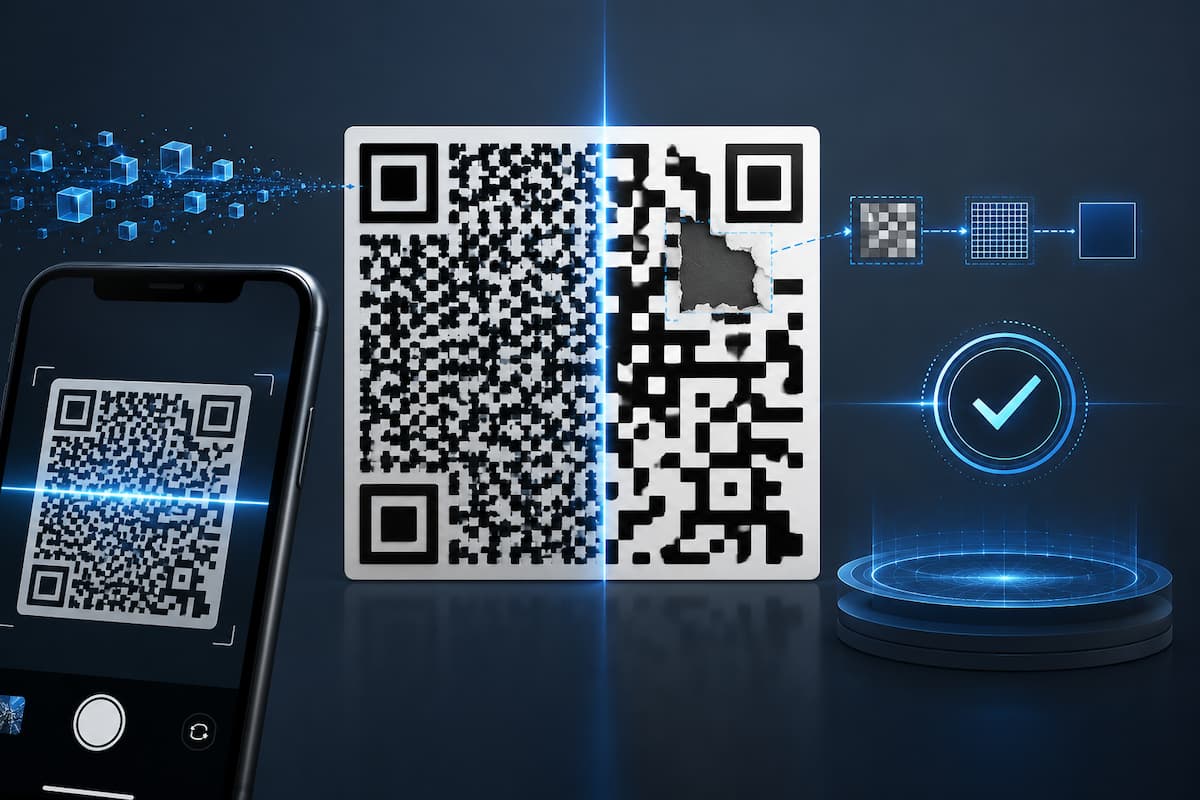
QR codes can be damaged, dirty, partially illegible, distorted, or of poor print quality. However, mobile phones can usually recover the original data. The small storage capacity and the ability to correct errors make QR codes very practical in daily life.
Understanding how QR codes work explains why some QR codes scan immediately, while others repeatedly fail. This also helps businesses, designers, and consumers understand the size, print quality, contrast, data length, and error correction capabilities of QR codes. This guide simplifies QR code technology and makes it clear that they are more than just visual shortcuts to website addresses.
QR Codes – What Are They?
A Quick Response Code (QR code) is a two-dimensional barcode. Instead of using a single horizontal path, QR codes use a grid of small squares, called modules, to store information. Because QR codes can store information in both width and height, they can contain more information than a linear barcode of the same size. This information can consist of text, numbers, URLs, or other supported data.
When a smartphone camera scans a QR code, the software analyzes the pattern and converts it into digital data. When a QR code contains a URL, the phone can open the corresponding website in the browser. The QR code itself “does not contain a website” but rather encoded data. A website address is one of the most common types of data that QR codes can store.
QR Codes Condense Data
The square grid gives QR codes an extremely high data density. QR codes distribute information across a two-dimensional pattern, rather than a long bar like a barcode. As the amount of information increases, QR codes may require more modules. QR code symbols vary in size; larger QR codes contain more modules and can store more data.
| Factor | Effect on QR Code |
|---|---|
| Short URL | Usually requires less encoded data |
| Long URL | Requires more encoded data |
| Plain text | Capacity depends on the amount and character type |
| Higher error correction | Uses more space for recovery information |
| Larger QR version | Provides more modules and greater capacity |
This scenario creates an important practical lesson: the amount of information stored in a QR code affects its physical complexity. A short web address may produce a relatively simple code, while a long block of text may produce a much denser pattern.
The Important Parts of a QR Code
A QR code contains more than random-looking black and white squares. Its structure includes special patterns that help the scanning software locate and interpret the symbol.
- Finder’s Patterns: The three big square patterns in the corners help the scanner find the QR code and determine which way is up. This feature is one reason why a QR code may still often be read when rotated.
- Timing Patterns: Timing patterns assist the reader in understanding the grid layout of the modules. They provide reference information that helps to understand the code structure.
- Alignment Pattern: Larger QR codes may include more alignment patterns. This allows the scanner to correct for distortion, especially when the code is seen at an angle or printed on a surface that alters its apparent shape.
- Quiet Zone: The area surrounding a QR code is known as the silent zone. This helps keep the symbol away from neighboring visual features and allows scanning software to recognize the limits of the code.
Tip: Don’t put text, borders, images or decorative elements close to the boundaries of a QR code. The empty region around is part of a reliable scanning design.
How Error Correction Helps QR Codes Recover Data
Error correction is one of the most interesting features of QR codes. It allows a scanner to recover the original data even when part of the symbol cannot be read correctly. The basic idea is similar to keeping additional information that can help reconstruct missing or corrupted data. QR codes use a mathematical technique called Reed-Solomon error correction. The process adds recovery information to the encoded data, allowing the decoder to identify and correct certain errors.
This does not mean a QR code can survive unlimited damage. If too much information is lost, the scanner may no longer have enough information to reconstruct the original message. Error correction simply increases the amount of damage the code can tolerate. This capability is particularly useful in real-world environments. A printed QR code may develop a small stain, a sticker may become scratched, or part of a sign may be covered. As long as enough of the relevant information remains available, the code may still scan successfully.
The Four Error Correction Levels
QR Code standards define four error correction levels. They represent different balances between data capacity and resistance to damage.
| Level | Approximate Recovery Capability | Typical Consideration |
|---|---|---|
| L | About 7% | More capacity, less recovery protection |
| M | About 15% | Common balance for many applications |
| Q | About 25% | Greater protection against damage |
| H | About 30% | Highest recovery capability, with greater data overhead |
These percentages describe approximate error correction capabilities under the standard’s conditions. They should not be interpreted as a guarantee that exactly that percentage of any visible part of a QR code can simply be removed. The location and type of damage matter. A damaged area may affect essential structural information or data modules differently. The decoder must still be able to identify and interpret enough of the symbol to recover the message.
The Trade-Off Between Data Capacity and Error Recovery
Higher error correction levels sound better, but they are also more expensive. The extra recovery data takes up space that could otherwise have been used for the original information. With a higher error correction level, you may need larger or denser QR codes for the same information. This requires a balance between durability, capacity, and size.
In this case, a QR code on a clean poster indoors may not require the highest error correction level. If the QR code is placed outdoors, it gets scratched or faded easily, requiring extra protection. However, choosing the highest level is not always the best option. If the QR code density is too high, the camera may not be able to distinguish smaller modules, especially if the QR code itself is small.
What Happens When a QR Code Is Damaged?
Imagine a box containing a QR code. Over time, a small section of the box gets scratched. The scanner can correctly recognize many modules but cannot read the information in the damaged section. The decoding process uses the readable information and error correction data to reconstruct the missing or damaged parts. If the original information is still sufficiently complete, the scanner can restore it to its original state.
Even if you cover a small part of the QR code, the alteration does not necessarily mean that it will not work properly. This explains why adding a logo in the center of a QR code can sometimes lead to a successful scan, as long as you do it correctly. However, be cautious when making changes for aesthetic reasons. If the logo covers too much of the QR code, there may not be enough space to restore the full content. Insufficient contrast or image distortion can also worsen the situation.
Why Some QR Codes Scan Better Than Others
Unfortunately, even a functional QR code can be difficult to scan if it does not look visually appealing They require sufficient visual information so that the camera can clearly identify the various modules. Common causes of scan errors include insufficient contrast, a code that is too small, blurry text, reflections, uneven surfaces, and excessive ornamentation. Distance also plays a role. If you want to scan a QR code from a distance of several meters, it must be larger than a QR code that can only be scanned from a few centimeters. The camera also affects the scanning experience. An old camera, insufficient light, blurry images, or a dirty lens can all lead to scanning problems. Therefore, it is important to test in realistic usage situations. If a QR code displays correctly on a computer screen, it may be completely unscannable when printed on curved packaging or behind reflective glass.
How Design Choices Affect the Reliability of QR Codes
Nowadays, QR code generators offer users the ability to change colors, add logos, and create QR codes with special shapes. These options can make QR codes look more aesthetically pleasing, but every design change introduces new potential scanning problems. It is crucial that every element is clearly distinguishable from the background. People still prefer the classic dark background with light text, as the contrast makes the content stand out. Even when using color, scanners must be able to distinguish the modules from the background under natural lighting conditions.
QR codes must not be stretched or distorted, and stationary parts must remain clearly visible. If the QR code is placed on a curved surface, ensure that it works correctly in all directions. Before you publish the QR code, make sure it works correctly on multiple smartphones and reading apps. Try photographing the code from different angles and under different lighting conditions. This simple step can reveal design issues that are difficult to detect on a computer screen.
Applications of QR codes in daily life
Today, people widely use QR codes because they easily link physical objects to digital data. Restaurants can use QR codes to offer electronic menus or to send tickets or boarding information. Customers can obtain instructions or other information from product packaging. Museums can also use QR codes to display digital material alongside exhibitions.
Companies also use QR codes for contactless information sharing, event registration, identity verification, and payments. In all these cases, QR codes are an efficient way to send data to devices with a camera. The basic principle remains the same: capturing information in structured two-dimensional symbols that others can read.
Common Mistakes with QR Codes
A common mistake is creating QR codes with information that is too long. If the same functionality can be achieved with a short, reliable URL, adding a lot of text directly to a QR code can make the symbols too close together. Another common mistake is making the QR code too small. A QR code may display correctly on a designer’s screen but may not display correctly when copied or viewed at a normal reading distance. Another common problem is the omission of silent areas. If there are images nearby, the scanning software may not be able to distinguish the start and end points of the QR code.
Excessive adjustments can also reduce the reliability of QR codes. It is advisable to test logos, color gradients, decorative patterns, and low-contrast backgrounds. Finally, some QR codes may link to invalid websites over time. A QR code may still scan correctly but fail to reach the intended location. Even if a scan is technically valid, the result does not mean that the data in the QR code is still valid.
Best Practices for Creating a Reliable QR Code
Reliable QR codes start with useful information. Ensure the information is as concise as possible when the QR code needs to be small. Choose an appropriate error correction level based on the situation. Take into account how weather conditions, human error, dust, or other factors can damage the QR code.
Ensure high contrast and a safe, quiet zone. Do not stretch the QR code and ensure that the physical size is large enough to meet the scanning distance requirements. If you add trademarks or brand names, always test them multiple times. Do not simply assume that a QR code is secure just because one phone scans it successfully. Be sure to test the final version in a realistic environment. If you want to print the code, check the printout. Check if the QR code is displayed correctly on your screen. You can try different phones, lighting conditions, and scanning locations.
| Check | Question to Ask |
|---|---|
| Content | Does the code contain only the necessary information? |
| Size | Is it large enough for the intended scanning distance? |
| Contrast | Can the modules be clearly distinguished from the background? |
| Quiet zone | Is there sufficient clear space around the code? |
| Error correction | Is the level suitable for the expected environment? |
| Testing | Has the final version been tested on multiple devices? |
| Destination | Does the encoded link or information still work correctly? |
Conclusion
QR codes combine two key concepts: efficient data representation and built-in error correction mechanisms. Their two-dimensional structure makes it possible to store large amounts of information in a relatively small space, while error correction mechanisms guarantee readability, even if some symbols are damaged or difficult to interpret. This balance makes QR codes very practical in daily life. They can be printed on packaging, displayed on screens, attached to signage, and used in many other scenarios where physical information needs to be linked to digital systems.
However, a reliable QR code design still requires careful consideration. The correct data size, physical dimensions, contrast, silent zones, error correction levels, and testing procedures are all crucial. Taking these factors into account, QR codes are not just simple square patterns but a compact and reliable means of transmitting information between the physical and digital worlds.
FAQs
1. How much information can a QR code store?
The specific storage capacity depends on the QR code version, the error correction level, and the type of data being encoded. Compared to some other character types, QR codes can store digital data more efficiently. As the amount of information increases, QR codes typically become larger or more complex. In practice, it is generally better to encode only the necessary information rather than filling the code with unnecessary content.
2. Does the error correction feature mean I can cover every part of a QR code?
No. Error correction can only recover lost or damaged information to a certain extent. The degree of damage a code can withstand depends on the chosen error correction level, as well as the nature and location of the damage. Covering too much of the code can lead to irreparable damage. All intentional changes, such as adding a logo, must be carefully tested before being used publicly.
3. Why does my QR code scan correctly on my phone but not on other people’s phones?
Different devices can have different camera quality, autofocus performance, software, and scanning capabilities. Lighting and distance also affect the results. If a QR code only works under ideal conditions, it may be too small, have too low contrast, or be too complex. Test on multiple devices and in environments where people actually scan QR codes.
4. Are more complex QR codes better?
Not necessarily. A more complex QR code usually means that it contains more encoded information or that more error correction mechanisms are used. However, complexity does not necessarily mean a more practical QR code. If a short link can perform the desired task, unnecessary data only makes the QR code more confusing. Simple QR codes are generally easier to print and scan, provided they meet the application requirements.
5. Do QR codes work well on curved surfaces?
Yes, but curved surfaces make scanning more difficult because the camera captures a distorted QR code. The degree of distortion depends on the shape of the surface and the size of the QR code. If the QR code is printed on a bottle, container, or other curved object, test it from the actual angle and distance. Larger QR codes and careful placement can improve usability.
6. Why is the white space around a QR code important?
White space (a quiet area) visually separates the QR code from the surrounding content. Without sufficient white space, scanning software may struggle to recognize the boundaries of the QR code, especially when nearby images contain similar patterns. Maintaining the necessary margins is a simple but important aspect of reliable QR code design.
References
- ISO/IEC 18004 — Information technology: Automatic identification and data capture techniques — QR Code bar code symbology specification.
- DENSO WAVE — Official QR Code information and technical explanations.
- ISO — International Organization for Standardization, standards information and documentation.
- GS1 — Standards and guidance for identification, data capture, and barcodes.
- W3C Web Accessibility Initiative — Guidance relevant to accessible digital content and QR-linked resources.